How to Choose a Shopify Partner Developer: 7 Checks
The Shopify Partner title is a starting point, not proof of quality. These are the 7 things to check before you hire someone to build or fix your store.
To choose a Shopify Partner developer, do not stop at the word “Partner”. The Shopify Partner Program is free to join, so the title confirms that someone has a Partner account, not that Shopify has tested their work. Check live stores they built, ask how they will access your store, confirm who owns the store and theme at the end, and get a written scope with a fixed price before you pay anything.
I’m Zain Saeed, a WordPress and Shopify developer and a Shopify Partner. I’ve shipped 120+ projects over 8+ years and won Fiverr’s Millionaire Award for $1M+ in orders. This is the checklist I would give a friend who is about to hire someone for a Shopify store.
In this guide
- Short answer: 7 checks before you hire
- What “Shopify Partner” means
- Check their Shopify work on live stores
- Ask how they will access your store
- Confirm who owns the store, theme and accounts
- Ask how they decide between apps and custom code
- Get the scope, price and timeline in writing
- Ask what happens after launch
- Warning signs
- Frequently asked questions
Short answer: 7 checks before you hire
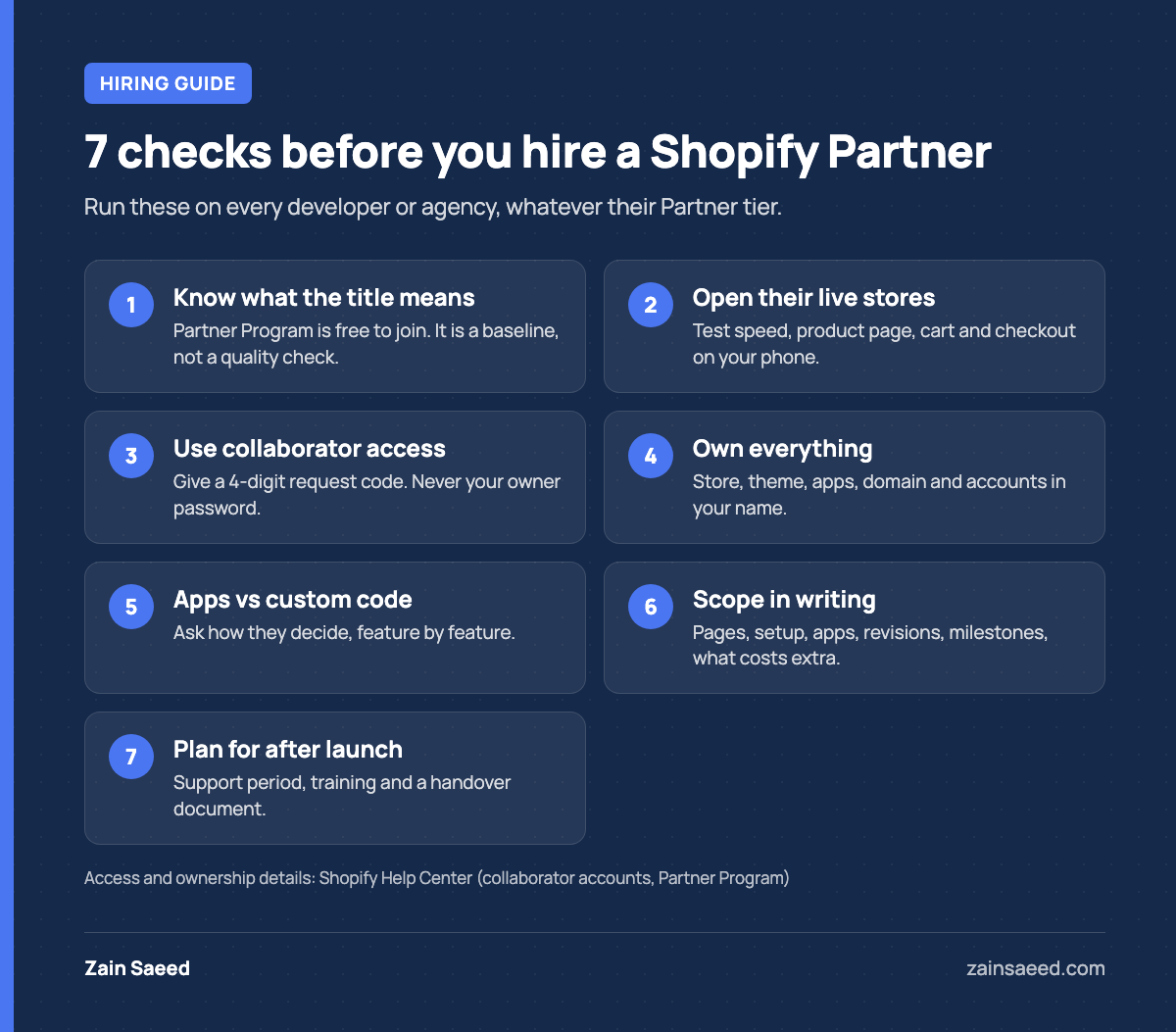
- Understand what “Shopify Partner” does and does not tell you.
- Look at live Shopify stores they built, on your phone.
- Ask how they will get into your store.
- Confirm you will own the store, the theme and every account.
- Ask how they decide between an app and custom code.
- Get the scope, price and timeline in writing.
- Ask what happens after launch.
What “Shopify Partner” means
Shopify describes its Partner Program as free to join. A developer or agency signs up, accepts the program agreement and gets a Partner account. That account lets them create test stores, build stores for clients and request access to client stores.
Partners start at the Registered tier. Shopify lists higher tiers (Select, Plus, Premier and Platinum) that Partners reach based on performance, and qualified Partners can show a tier badge.
So being a Partner is a useful baseline. It tells you the person works inside Shopify’s official setup and can use the proper access route to your store. It does not tell you how good their code is or how they run a project. A solo developer at the Registered tier can be the right hire for a small store, and a high-tier agency can be the wrong one. The checks below are what separate them.
One note on directories: Shopify’s help pages say the Shopify Experts Marketplace was sunset in December 2023. If a profile leans on an “Experts Marketplace” listing, ask for current proof of work.
Check their Shopify work on live stores
Screenshots show design. Live stores show whether the build works. Ask for 2 or 3 store URLs and open them on your phone.
- Speed. Do the home page and a product page load quickly on mobile data?
- Product page. Are variants, price, stock and the add-to-cart button clear without scrolling far?
- Cart and checkout. Add a product and go as far as the payment step. Anything confusing here costs sales.
- Similar scope. A store with 10 products is a different job from one with 2,000 products, subscriptions or wholesale pricing. Look for work close to yours.
Then ask what exactly they did on each store. “I built the full theme” and “I changed the header” are both honest answers, but they are not the same experience. If you can, ask to speak to one past client.
Ask how they will access your store
This question filters out a lot of risk. A Shopify Partner does not need your owner login or password. Shopify has a built-in route called collaborator access.
According to Shopify’s collaborator accounts documentation, it works like this:
- You give the Partner a 4-digit request code from your store’s user settings.
- The Partner sends an access request, and you choose which permissions to approve.
- Collaborators do not count toward your store’s user limit.
- The Partner must have two-step authentication turned on to log in.
- Access expires if the collaborator has not logged in for 90 days, and you can remove it yourself at any time.
Approve only what the job needs. Theme work needs theme and product access. It rarely needs access to your payouts or customer exports.
Rule of thumb: a Shopify Partner never needs your owner email or password. A developer who asks for them is either new to Shopify or careless with security. Both are reasons to keep looking.
Confirm who owns the store, theme and accounts
For a new store, a Partner can build it under their Partner account and then transfer ownership to you. Shopify documents this in its guide to building a store for a client. The same page explains that Partners can earn a referral commission from Shopify when they transfer a store to a merchant. That is normal and comes from Shopify, not from your invoice, but a good developer will tell you about it if you ask.
Before work starts, get these points in writing:
- Store ownership. You become the store owner at handover, with your own email as the owner account.
- Theme. A paid theme is licensed to your store, bought through your account. Custom theme code is yours after final payment.
- Apps. App subscriptions are billed to your store, not to the developer.
- Domain. The domain is registered in your name, in an account you control.
- Other accounts. Analytics, ad accounts, email marketing and payment providers are created under your business, with the developer added as a user.
If the developer disappears, you should lose nothing except their time.
Ask how they decide between apps and custom code
Every extra feature on a Shopify store comes from one of three places: Shopify’s built-in features, an app or custom theme code. Each has a cost. Apps usually add a monthly fee and can add scripts that slow the store. Custom code costs more up front and needs someone to maintain it.
Describe 2 features you want and ask how they would build each. Good answers sound like this:
- “Shopify already does that. No app needed.”
- “An app is the sensible choice here, because building it would cost more than years of the subscription.”
- “That is a small theme change. I would code it and skip the app.”
Be careful with a developer who answers every question with an app, or every question with custom work. The same applies to themes. My post on Dawn vs a custom Shopify theme explains when a free theme is enough and when it is not.
Get the scope, price and timeline in writing
A quote you can rely on lists what is included. Compare quotes on these lines, not just on the total:
| Item | What the quote should say |
|---|---|
| Pages and templates | Which ones are designed and built (home, collection, product, cart, content pages) |
| Products | How many are loaded for you, and who supplies photos and descriptions |
| Setup | Payments, shipping rates, taxes, email notifications |
| Apps | Which apps are installed and what they cost per month |
| Revisions | How many rounds, and at which stages |
| Timeline | Milestones with dates, and what you must deliver for each |
| Payment | Amounts tied to milestones, not all up front |
| Out of scope | What costs extra, and at what rate |
A developer who sends a single number with no breakdown has not thought the project through yet. For a sense of realistic timing, see how long it takes to build a Shopify store.
Ask what happens after launch
The first weeks after launch are when small problems appear: a shipping rule that misfires, an email template with the wrong logo, a discount that does not stack as expected. Ask:
- Is there a support period after launch, and how long is it?
- Will you show me how to add products, edit pages and change the home page sections?
- Do you offer ongoing help, and how is it billed?
- Will I get a short handover document listing the theme, apps and settings you changed?
You should be able to run the store day to day without calling the developer.
Warning signs
| Warning sign | What to ask for instead |
|---|---|
| They ask for your owner password | Collaborator access with only the permissions the job needs |
| They want the store, domain or app subscriptions in their name | Everything billed to and owned by your business |
| They cannot show a live Shopify store they built | 2 or 3 live store URLs and what they did on each |
| They promise sales or ranking results | Clear deliverables. A developer controls the build, not your market. |
| They want full payment before any work is shown | Payments tied to milestones you can review |
| The quote has no list of what is included | A line-by-line scope like the table above |
Frequently asked questions
Is a Shopify Partner the same as a Shopify employee?
No. A Shopify Partner is an independent developer, designer or agency with a Partner account. Shopify does not employ them or guarantee their work.
Do I need a Shopify Partner, or can any developer work on my store?
Any developer can edit a theme if you add them as a staff user. A Partner can use collaborator access, which does not use one of your user seats, and can build a new store and transfer it to you. For anything beyond a small edit, a Partner is the cleaner setup.
Is a higher Partner tier always better?
No. Shopify bases tiers on performance in the program, and larger agencies reach them more easily. For a small or mid-sized store, relevant live work and a clear scope tell you more than the tier.
Should I give a Shopify developer my store password?
No. Give them the 4-digit collaborator request code and approve only the permissions the job needs. You can remove their access when the work is done.
Should I hire a freelancer or an agency for a Shopify store?
A freelancer fits a single store with a clear scope, and you talk directly to the person doing the work. An agency fits projects that need several specialists at once. Run the same 7 checks on both.
You can see how I work as a Shopify Partner, including how access and handover are handled. If you want a fixed-price quote for your WordPress or Shopify project, send me a short brief and I’ll tell you what it will take.