
How to Migrate from Wix to WordPress Without Losing Rankings
Wix has no export tool, so a move to WordPress is a rebuild. Here is the order I do it in and the redirect work that keeps your Google rankings.
You can migrate from Wix to WordPress without losing your Google rankings, but Wix has no export tool, so the site is rebuilt in WordPress and the content is carried over by hand. Rankings survive when every old URL gets a permanent redirect to its new page and the titles, headings and copy on ranking pages stay the same. Most of the risk sits in the redirect map, and most of the time goes into rebuilding pages.
I’m Zain Saeed, a WordPress and Shopify developer. I’ve shipped 120+ projects over 8+ years and won Fiverr’s Millionaire Award for $1M+ in orders. Below is the process I follow for a Wix to WordPress move, in the order I do it.
In this guide
- Short answer: the migration in 5 steps
- What moves from Wix and what does not
- Step 1: Audit the Wix site
- Step 2: Build the WordPress site on staging
- Step 3: Move the content
- Step 4: Protect your Google rankings
- Step 5: Switch DNS and monitor
- What a Wix to WordPress migration costs
- Frequently asked questions
Short answer: the migration in 5 steps
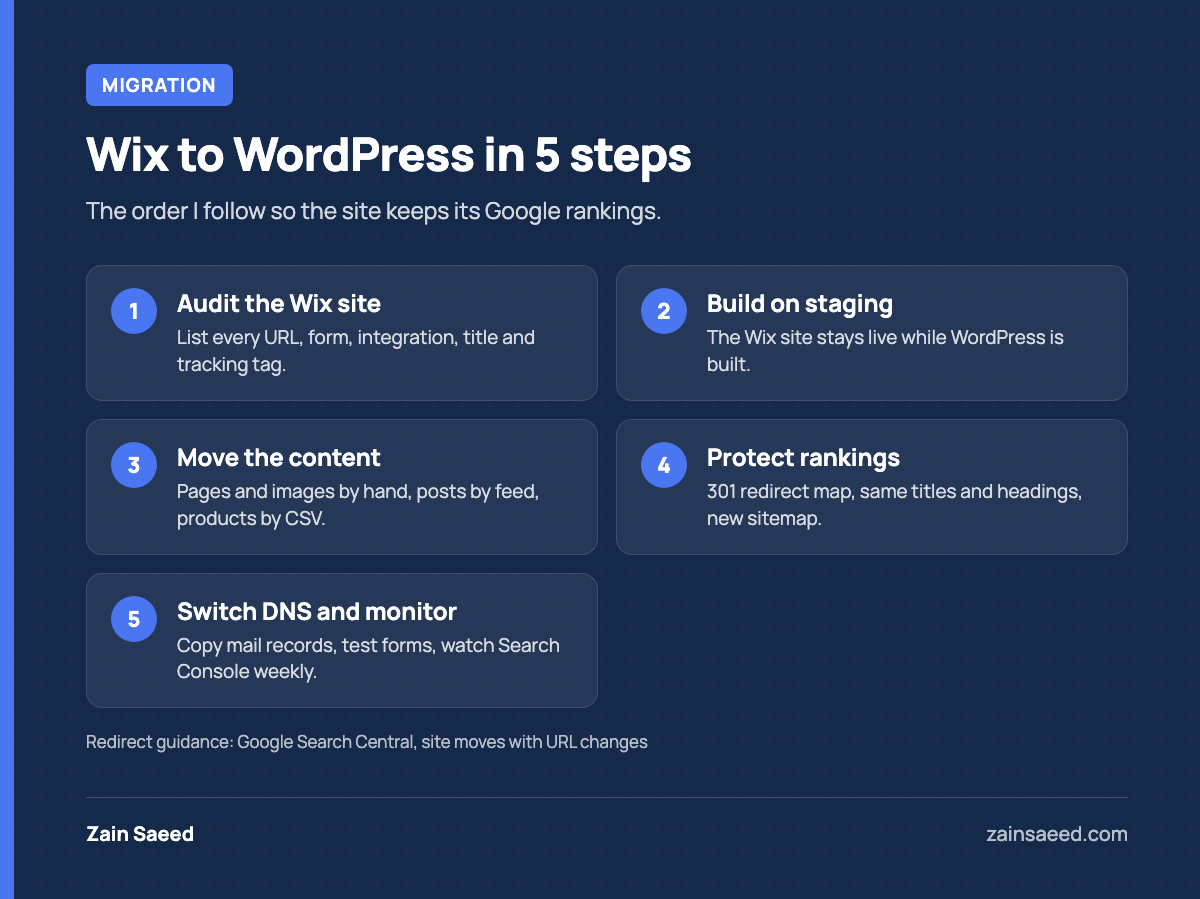
- Audit the Wix site. List every URL, every form and every integration before you touch anything.
- Build the WordPress site on a staging address. The Wix site stays live while you work.
- Move the content. Pages and images by hand, blog posts by feed or by hand, products by CSV.
- Protect SEO. Redirect map, same titles and headings, new sitemap.
- Switch DNS and monitor. Point the domain at the new host and watch Search Console.
If you are still deciding whether to move at all, read my Wix vs WordPress comparison first. This post assumes you have decided.
What moves from Wix and what does not
Wix sites run only on Wix’s servers, and there is no “download my site” button. Wix’s own help center says it is not currently possible to export blog posts to other platforms. So plan for a rebuild, not a transfer.
| Item | How it moves |
|---|---|
| Domain name | Stays yours. Only the DNS records change. If the domain is registered at Wix, you can keep it there and repoint it, or transfer it out. |
| Page text | Copied by hand into the new pages. |
| Images and files | Downloaded, compressed and uploaded to the WordPress media library. |
| Blog posts | By hand, or through the blog’s RSS feed if it has one. |
| Store products | CSV export from Wix Stores, CSV import into WooCommerce. |
| Design and layout | Rebuilt. Wix templates do not convert to WordPress themes. |
| Forms, bookings, Wix apps | Rebuilt with WordPress plugins and reconnected to your email or CRM tool. |
| Page titles and meta descriptions | Copied by hand into your SEO plugin. |
Step 1: Audit the Wix site
Pages get lost in migrations because nobody listed them. Do the inventory before anything else.
- Every URL. Google’s site move guide says to build the list from your sitemaps, analytics and CMS. Add the Pages report from Google Search Console, because it shows URLs Google knows about that you may have forgotten.
- Your ranking pages. In Search Console, look at the last 6 months of search performance and mark the pages that bring in clicks. These pages get the most care.
- Titles and descriptions. Save the page title, meta description and H1 of every page in a spreadsheet.
- Forms and integrations. Write down where each form sends its entries and which tools are connected (email marketing, booking, payments, chat).
- Tracking and custom code. Analytics tags, ad pixels and any embedded HTML.
If your site is still on a free wixsite.com address, connect your own domain first and let Google index it. You do not control the server behind a wixsite.com address, so you cannot add server-side redirects from it later.
Step 2: Build the WordPress site on staging
Set up hosting and build the new site on a staging address that search engines cannot index. Visitors keep using the Wix site until launch day.
You have two ways to handle the design:
- Rebuild the same design. Same layout and copy, new platform. This is the lower-risk option when the site already brings in leads and you are moving for control or features.
- Redesign during the move. More work, and more variables if rankings change afterwards. If you go this way, keep the copy and headings on ranking pages close to the original and use my website redesign checklist to plan it.
Keep the plugin list short: one SEO plugin, one form plugin, one caching plugin, one backup plugin and a redirect manager. A new WordPress site also needs basic hardening before it goes live. My WordPress security checklist covers that part.
Step 3: Move the content
Pages
Copy the text, download the images and rebuild each page. For a site under 20 pages this is faster than trying to automate it. Compress images before uploading and add alt text as you go.
Blog posts
WordPress has an RSS importer under Tools, then Import. If your Wix blog has an RSS feed, you can save the feed as a file and import it. Feeds often contain only the most recent posts and the formatting needs cleanup, so check every imported post. For a small blog, copying posts by hand is often cleaner.
Store products
Wix Stores can export your product list as a CSV file from the Products section of the dashboard. WooCommerce has a built-in importer under Products, then All Products. According to the WooCommerce importer documentation, it maps recognized columns automatically and skips unrecognized ones by default, so you will need to rename some columns to match. Import 2 or 3 products first and check variants, images and categories before running the full file. Customer accounts and order history do not come across cleanly, so decide early what you need to keep.
Step 4: Protect your Google rankings
This step decides whether traffic holds. Google’s guide to site moves with URL changes is the reference I work from.
Build the redirect map
Wix and WordPress structure URLs differently, so some addresses will change. Pair every old URL from your audit with its new URL in a spreadsheet:
/post/spring-lawn-care      ->  /blog/spring-lawn-care/
/services-1                 ->  /services/
/about-us                   ->  /about/
Where you can keep the same path, keep it. Then no redirect is needed for that page.
Use permanent server-side redirects
Google recommends server-side permanent redirects (301 or 308) from each old URL straight to its final destination. Avoid chains, and do not send a batch of old pages to the homepage. Load the map into a redirect plugin or your server configuration and test every line on staging.
Because your domain stays the same and only the host changes, these redirects live on the new WordPress server. Google says to keep them in place for generally at least 1 year. I leave them permanently.
Keep titles, descriptions and headings
Paste the saved title and meta description into each matching page, and keep the H1 and the main copy on ranking pages. A platform change and a content rewrite at the same time make it hard to tell what caused a drop.
Rebuild structured data and the sitemap
Your SEO plugin creates the new XML sitemap and basic schema. Add back any FAQ or local business markup the Wix pages had, and update internal links so they point to the new URLs and not through redirects.
Step 5: Switch DNS and monitor
- Back up the finished staging site.
- Point the domain’s DNS records to the new host.
- Confirm the SSL certificate is active on the new host.
- Remove the “discourage search engines” setting from staging.
- Test your top pages, every form and a sample of redirects on the live domain.
- Submit the new sitemap in Google Search Console and remove the old one.
- Check that analytics and ad tracking record visits and form submissions.
Do not lose your email: email is a common casualty of a migration. If your mailboxes use the same domain, copy the MX and other mail records exactly when you change DNS.
Keep the Wix plan active for a few weeks after launch so you can check old content if something was missed. Cancel it once the new site is stable.
Google says you may see ranking fluctuations while it recrawls and reindexes the site, and that a small to medium-sized site can take a few weeks for most pages to move. During that time, check the Pages report in Search Console every week and add a redirect for any old URL that shows up as not found.
What a Wix to WordPress migration costs
The cost follows the page count, whether there is a store and whether you redesign during the move. For reference, my fixed-price tiers are on my pricing page: Starter is $1,200–$2,500 and Growth is $3,000–$6,500. A small brochure site rebuilt with the same design usually fits Starter. A site with a blog, several forms or a small store, or one that is redesigned during the move, usually fits Growth.
| Your Wix site | Usual tier | Fixed price |
|---|---|---|
| Small brochure site, same design | Starter | $1,200–$2,500 |
| Blog, several forms or a small store | Growth | $3,000–$6,500 |
| Redesigned during the move | Growth | $3,000–$6,500 |
Doing it yourself costs hosting plus your time. That is reasonable for a small site with little search traffic. If the site ranks for terms that bring in customers, or it has a store, the redirect and DNS work is the part to hand to someone who has done it before.
Frequently asked questions
Will I lose Google rankings when I move from Wix to WordPress?
Not permanently, if every old URL redirects to the right new page and the content on ranking pages stays the same. Google says some fluctuation is normal while it recrawls the site. Missing redirects and rewritten pages are the usual causes of lasting drops.
Can I export my Wix site and import it into WordPress?
No. Wix has no full-site export and says blog posts cannot be exported to other platforms. Products can be exported as a CSV file. Everything else is copied or rebuilt.
How long does a Wix to WordPress migration take?
It depends on the number of pages, the store and whether the design changes. A small site with the same design is mostly a few days of rebuilding plus testing. After launch, allow a few weeks for Google to process the moved URLs.
Do I keep my domain and email?
Yes. The domain stays registered to you and only its DNS records change. Email keeps working as long as the mail records are copied to the new DNS setup.
Can I do the migration myself?
Yes, if the site is small, you are comfortable in WordPress and a temporary dip in traffic would not hurt the business. Hire a developer when the site has a store, ranks for valuable terms or uses bookings and other integrations.
If you want this handled for you, I do Wix to WordPress moves as part of my WordPress development work. If you want a fixed-price quote for your WordPress or Shopify project, send me a short brief and I’ll tell you what it will take.